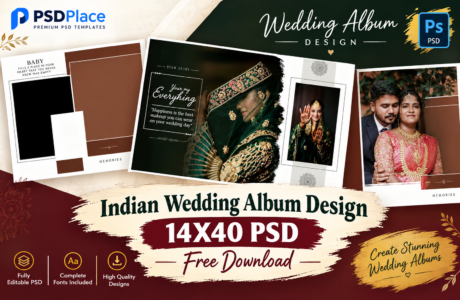
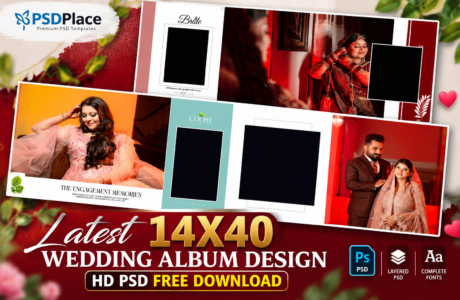
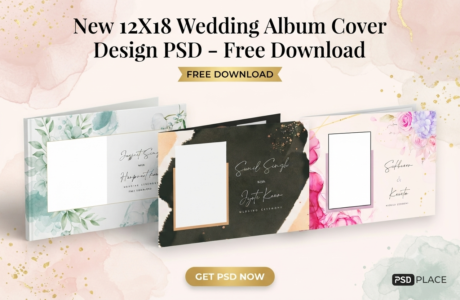
If you are looking for a 12×36 Wedding Album Design PSD for your next wedding album project, you are in the right place. A 12×36 album spread is one of the most popular formats used by professional photographers and album designers for creating attractive wedding albums. With editable Photoshop PSD templates, you can quickly customize photos, text, colors, backgrounds, and other design elements according to your client’s requirements.
| Technical Parameter | Specification Details |
|---|---|
| File Format | Layered Adobe Photoshop (PSD) |
| Resolution / Quality | 300 DPI (High-Print Quality) |
| Color Space | RGB & CMYK Print Ready |
| Editing Method | Smart Object Photo Replacement |
| License | Free for Personal & Commercial Projects |
Designer’s Note by Kuldeep Kurre: “As a professional album designer, I have crafted these Photoshop templates with clean layer organization and smart objects. Whether you are working on studio projects or freelance client orders, these templates allow you to insert photography in minutes while maintaining a high-end luxury aesthetic.”
These HD wedding album templates are designed to make album designing faster and easier while maintaining a professional and modern appearance.

What Is a 12×36 Wedding Album Design PSD?
A 12×36 Wedding Album Design PSD is a ready-to-edit Photoshop template created specifically for a 12×36-inch wedding album spread. PSD files are especially useful because they usually contain separate layers, allowing designers to edit individual elements without rebuilding the entire layout.
Professional photographers and graphic designers can use these templates to create beautiful wedding album pages for ceremonies such as engagement, mehndi, haldi, sangeet, wedding, reception, and other special moments.
Why Use 12×36 Wedding Album PSD Templates?
Creating every wedding album page from scratch can take a significant amount of time. Ready-made PSD templates provide a convenient starting point for designers.
Key benefits include:
- Fully editable Photoshop PSD format
- High-definition album layouts
- Professional and modern designs
- Easy photo replacement
- Editable text and design elements
- Suitable for wedding photography projects
- Useful for professional album printing
- Saves design time
- Easy to customize for different clients
- Suitable for Indian wedding album designs
Whether you are a professional album designer or a photographer who creates albums for clients, these templates can help speed up your workflow.
HD Wedding Album Templates for Professional Designers
Quality is important when designing an album that will eventually be printed. HD wedding album templates provide a clean and professional foundation for your project.
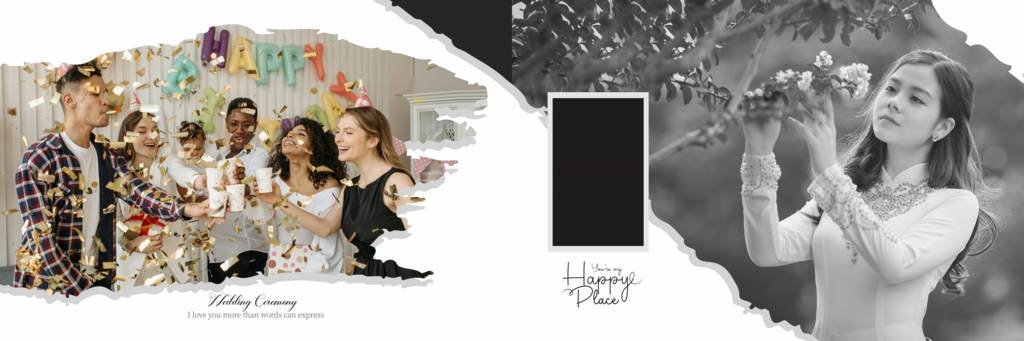
The 12×36 wedding album PSD format provides a wide canvas that works particularly well for displaying multiple photographs across a single spread. You can create layouts featuring portraits, couple photographs, family moments, ceremony details, and candid wedding photography.
#1

#2

#3

#4
#5

#6

#7

#8

#9

#10

Editable Wedding Album PSD in Photoshop
One of the biggest advantages of PSD templates is flexibility. After opening the template in Adobe Photoshop, you can customize the design according to your requirements.
You can generally modify:
- Wedding photographs
- Names of the bride and groom
- Wedding dates
- Quotes and captions
- Background elements
- Decorative graphics
- Colors
- Fonts
- Photo placement
- Layer effects
This makes an editable wedding album PSD useful for creating customized albums for different customers.
12×36 Indian Wedding Album Design PSD
Indian weddings include many ceremonies and memorable moments that deserve their own album pages. A 12×36 layout provides enough space to showcase these moments creatively.
You can use wedding album templates for:
- Engagement Ceremony
- Mehndi Ceremony
- Haldi Ceremony
- Sangeet Ceremony
- Wedding Ceremony
- Baraat
- Mangal Phere
- Sindoor Ceremony
- Mangalsutra Ceremony
- Vidaai
- Reception
- Couple Portraits
- Family Photography
By combining different layouts and photographs, designers can create a complete and visually attractive Indian wedding album.
How to Use a 12×36 Wedding Album PSD Template
Using an editable PSD template is simple if you are familiar with Adobe Photoshop.
Step 1: Download the PSD Template
Download the required 12×36 wedding album design PSD template and extract the downloaded ZIP file if necessary.
Step 2: Open the PSD in Photoshop
Launch Adobe Photoshop and open the PSD file. Check the Layers panel to understand the structure of the template.
Step 3: Replace the Sample Photos
Place your client’s wedding photographs into the designated photo areas. Resize and position each image properly within the layout.
Step 4: Edit Text
Replace sample names, dates, quotes, or other text with your client’s information.
Step 5: Customize the Design
You can adjust colors, fonts, backgrounds, effects, and other elements to match the wedding theme.
Step 6: Save and Export
Save the editable PSD file for future editing and export the final design in a suitable high-resolution format for printing.
Tips for Creating a Professional Wedding Album
A good template is only the starting point. Proper photo selection and layout management can make the final album look much better.
Choose High-Quality Photos
Use sharp, high-resolution wedding photographs whenever possible. Avoid excessively compressed or blurry images.
Maintain Consistent Design
Try to maintain consistent fonts, colors, spacing, and visual elements throughout the album.
Avoid Overcrowding
Don’t place too many photographs on a single spread. Give important photographs enough space to stand out.
Highlight Special Moments
Use larger photo areas for important moments such as couple portraits, wedding rituals, family photographs, and emotional candid shots.
Check the Design Before Printing
Always review the complete album at high resolution before sending it for printing. Check photographs, spelling, alignment, margins, and other important details.
Who Can Use These Wedding Album PSD Templates?
These templates can be useful for a wide range of creative professionals, including:
- Wedding Photographers
- Photo Studio Owners
- Album Designers
- Graphic Designers
- Freelance Photoshop Designers
- Digital Photo Labs
- Wedding Photography Businesses
For professionals handling multiple wedding album projects, editable PSD templates can significantly reduce repetitive design work.
Why 12×36 Is a Popular Album Size
The 12×36-inch format offers a wide horizontal design area, making it suitable for panoramic wedding photography. Designers can combine several photographs or create a single large hero image across the spread.
The format is particularly useful for:
- Couple portraits
- Wide wedding photographs
- Ceremony spreads
- Family group photographs
- Candid photography
- Pre-wedding photographs
- Reception highlights
Frequently Asked Questions
What is a 12×36 Wedding Album PSD?
A 12×36 Wedding Album PSD is an editable Photoshop template designed for creating a 12×36-inch wedding album spread.
Can I edit the PSD template in Photoshop?
Yes. PSD templates are designed to be customized in Adobe Photoshop. Depending on the template, you can edit photographs, text, colors, backgrounds, and other layers.
Are these templates suitable for professional printing?
High-resolution album templates can be used as a starting point for professional printing. However, always verify the required dimensions, bleed, color mode, and resolution with your album printing provider before final export.
Can photographers use these templates?
Yes. Wedding photographers and photo studios can use editable album templates to create customized albums for their clients.
Are 12×36 PSD templates suitable for Indian weddings?
Yes. The wide format works well for Indian wedding photography and can be adapted for ceremonies such as Mehndi, Haldi, Sangeet, Baraat, Mangal Phere, Reception, and Vidaai.
Download 12×36 Wedding Album Design PSD
If you need a professional starting point for your next wedding album project, a 12×36 Wedding Album Design PSD can help you create attractive album spreads with less design effort. Editable Photoshop templates make it easier to organize photographs, customize layouts, and prepare professional-looking wedding album pages.
Explore more wedding album PSD templates, HD album designs, and editable Photoshop templates to build a complete collection for your photography and album designing workflow.
Conclusion
A professionally designed wedding album helps preserve important memories in a beautiful visual format. With 12×36 Wedding Album Design PSD templates, photographers and designers can create customized wedding album spreads without spending excessive time designing every page from scratch.
Choose a suitable HD template, replace the sample photographs, customize the text and design elements, and prepare the final layout according to your printing requirements. With the right combination of photography and design, you can create a stunning wedding album that your clients will love.
Copyright, Usage License & Font Disclaimer
Preview Images Notice: Model and sample photographs shown in the previews above are for demonstration purposes only. The downloadable PSD files contain organized blank Smart Object frames ready for your custom photography.
Commercial License: These Photoshop album templates are provided free for personal and photo studio use. Redistribution or re-selling of raw PSD files on other portals is strictly prohibited under PSDPlace copyright terms.